AI Integration & Best Practices
This guide shared advise for integrating Artificial Intelligence into development workflows.
Goal: Use AI to effectively collaborate on code
Prompting Tips
The repo includes a number of guidance documents to help AI use best practices and consistency in the repo, but any agent is still heavily dependent on quality prompts from the developer.
Worked Example: The Climate Tool
Let’s look at a real-world scenario: You are working on the climate-tool and notice cases where some graphs appear empty.
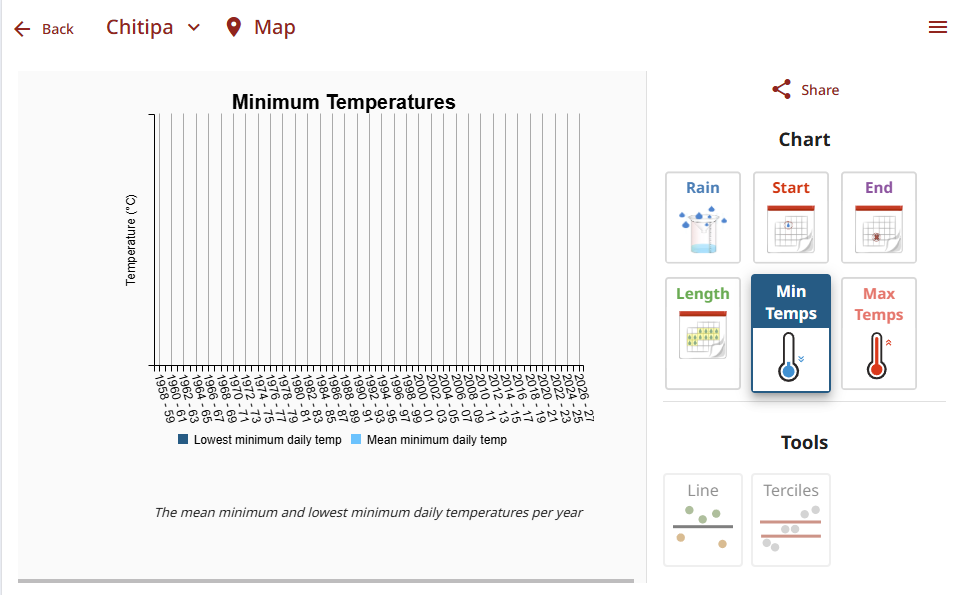
❌ The Bad Prompt
“Fix the broken graphs that appear empty”
Why it fails:
- Ambiguous: Which graphs?
- No Context: The AI doesn’t know how to check for data availability.
- No Scope: It might try to edit every file in the project.
- Assumptive: It assumes the AI knows your specific UI library.
✅ The Better Prompt
I’m working on the climate tool
apps\picsa-tools\climate-tool.When I load data for
chitipastation and view the “Min Temps” chart the graph is empty Investigate the reason why and propose solutions.
Why it works:
- Specific: Clearly states what to do and where.
- Contextual: Provides paths and logic sources.
- Constrained: Sets boundaries (will enter planning mode and get approval before making code changes).
This is actually quite a complex prompt, as the AI needs to discover how data is loaded, and why data may show for some specific stations and not others. Only then is it able to move onto potential solutions.
In this case the AI correctly identifies that it is the source data missing data columns across all of the data.
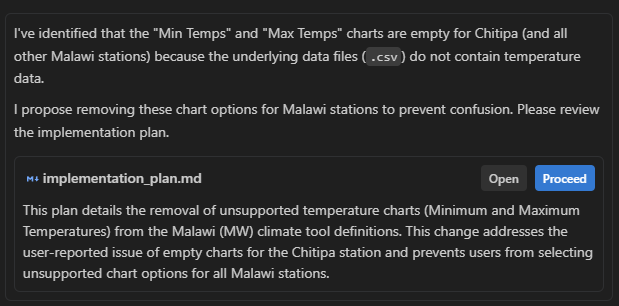
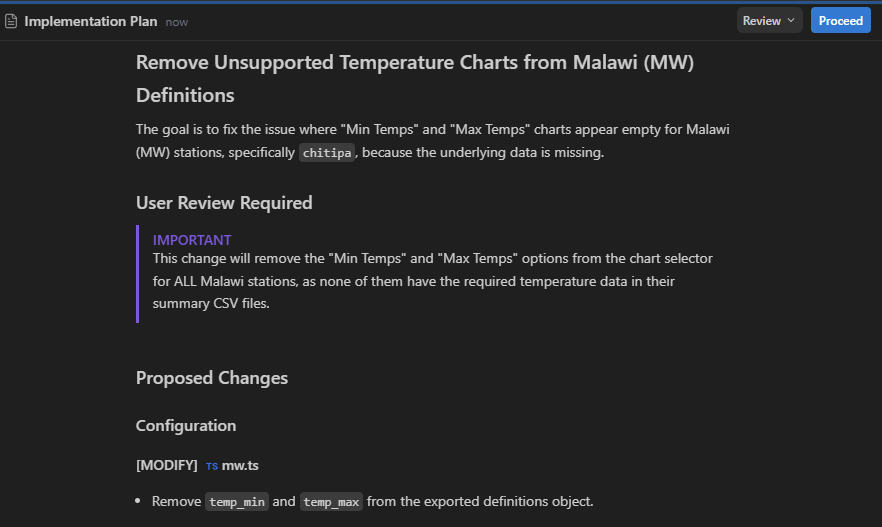
From here the developer can decide best course of action. The AI has suggested removing the graph entirely, however the developer suggest alternate options like disabling the button.
Tip: If continuing to work on the climate tool after this prompt, it is still better to start a new chat as the previous prompt will get reprocessed for every message, using up free and paid tier quotas.
Core Principles
To get the most out of AI, follow these core principles.
1. Single Responsibility Principle (for Prompts)
Keep your prompts focused on a single issue or task. The codebase is large, and filling the context window with unrelated files can confuse the model.
- Don’t: “Fix the login bug and also redesign the dashboard header.”
- Do: “Debug the login failure in
auth.service.ts.” (Then start a new chat for the dashboard).
2. Context is King
Always provide the relevant context. The AI can’t see what you don’t show it.
- File Paths: Explicitly mention the files you are working on.
- Screenshots: If it’s a UI issue, paste a screenshot. A picture is worth a thousand tokens.
- Logs: Paste the exact error message or stack trace.
3. Use Planning Mode
For larger features or refactors, don’t jump straight into code. Ask the AI to plan first.
- “I need to implement the new user profile page. Create a plan listing the necessary components, services, and route changes.”
- Review the plan, refine it, and then ask it to implement step-by-step.
4. Continuous Learning
Use the AI to upgrade your own skills. When you are working in a new area of the codebase or a new technology, ask the AI to explain detailed concepts.
- “I’m new to this part of the codebase. Explain how the
AuthGuardimplements the permission checks effectively.” - “Why did you suggest
concatMapinstead ofmergeMaphere?”
Recommended Tools & Models
Based on our tech stack (Angular, Capacitor, Nx), we recommend:
Tools
- Antigravity (AI-editor): Google Gemini integration which works well on Angular codebases.
- Cursor : Good support for alternate models which may offer more free or cheap tiers.
- GitHub Copilot : Great for autocomplete and integration into existing tools like VSCode.
Models
- High Reasoning Models: excellent for complex architectural reasoning and refactoring.
- Fast/Efficient Models: balance speed, cost, and performance for daily tasks.
Critical Thinking Required: AI is just a tool, not a real developer.
- Inspect code, does it make sense to you? Does it read well?
- Verify solutions, do they address the core issue?
- Learn from the AI, ask for detailed explanations and justification, be willing to criticize!
- You are the first line of code review, ensure it is up to your standards before committing.
Improving AI Context
If the AI consistently misunderstands our value propositions or coding standards:
- Check
AGENTS.md: Ensure high-level rules are up to date. - Update Rules: If we change libraries (e.g., a major Angular update), update the rules to reflect the new best practices.
- Feedback: Treat AI context as part of the codebase. Maintain it!